Procreate Dreams

Animations-App vom Procreate-Team – zeichne Filme auf dem iPad

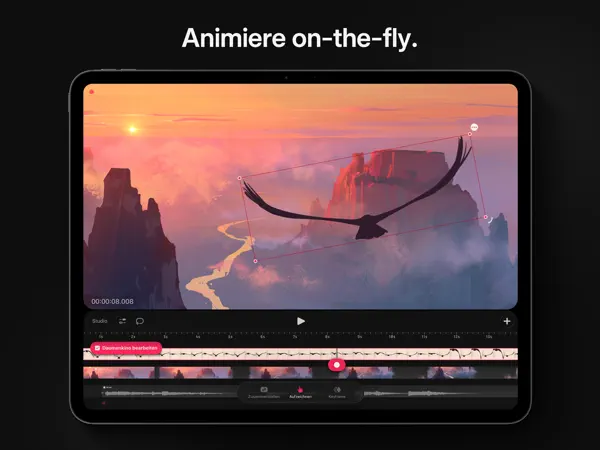
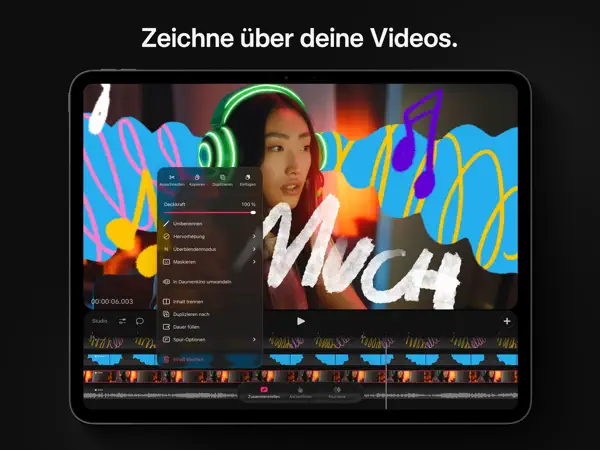
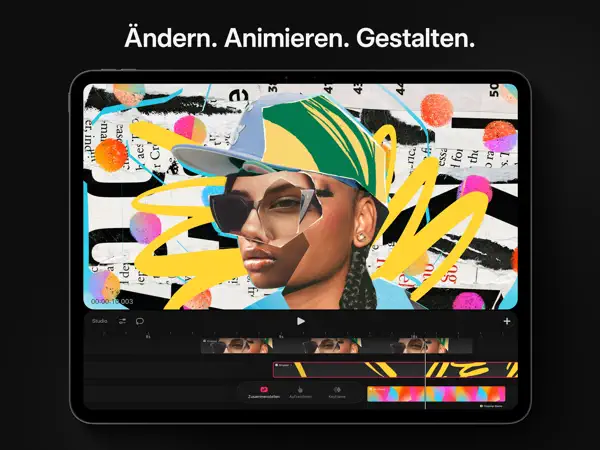
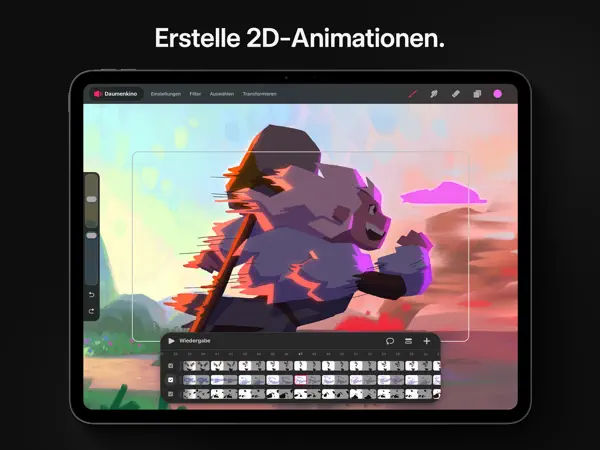
Procreate Dreams ist die Animations-App von Savage Interactive, den Machern von Procreate. Die App verwandelt das iPad in ein vollwertiges Animationsstudio: Frame-by-Frame-Animation, Flipbook-Vorschau, Tweening und eine intuitive Timeline machen den Einstieg in Animation so einfach wie nie. Die App nutzt die gleiche leistungsfähige Engine wie Procreate und unterstützt den Apple Pencil perfekt. Eigene Pinsel, Partikeleffekte und eine integrierte Soundbibliothek runden das Paket ab. Für Kreative, die ihre Zeichnungen zum Leben erwecken wollen.
Perfekt für dich, wenn ...
Du zeichnest bereits in Procreate und willst deine Illustrationen animieren
Du willst Frame-by-Frame-Animation direkt auf dem iPad mit Apple Pencil
Eher nicht, wenn ...
Du hast kein iPad – die App ist nicht für iPhone verfügbar
Du willst erst testen bevor du Geld ausgibst

Die letzten zehn Bewertungen liegen bei Ø 2,9 und damit über dem Schnitt der vorangegangenen (Ø 2,4).

5★
5
4★
8
3★
8
2★
11
1★
17
42 Bewertungen insgesamt ~3 Jahre
3,8
Die neusten 49 Bewertungen ~2 Jahre
2,4
Die neusten 10 Bewertungen ~9 Monate
2,9

Die hilfreichsten 6 der neusten 49 Bewertungen

vor 1 Monat 3 Sterne

Die App ist schön zum animieren doch man Brauch sehr lange um die App zu verstehen. Es ist schwierig herauszufinden, was man wo machen kann. Ich habe die App bisher immer noch nicht ganz verstandent . Meine kleinen Animationen zu mache hat bisher gut geklappt aber richtiger Filme zu gestalten ist dann doch etwas komplizierter

vor 1 Monat 4 stars :)

It seems like a lot of people thought this is a minor update to procreate, making the animation process smoother, but it really doesn’t seem that way. Procreate dreams is a lot different than regular procreate, but still shares the same general idea. I think it’s a relatively new app, so judging it so harshly seems undeserved to me. I definitely see some flaws, and it is a tad confusing, but it just takes some getting used to. For now the only truly strong complaints I have, is that the draw-hold-refine system isn’t included and that outside of the canvas option, there is no undo button. (I also have one question- why is it that when you draw, there is a smaller area inside the canvas? It may be that it somehow helps you in the general process, but I’m just a little confused😅)

vor 3 Monaten .

The app is great but still missing key features that I’m hoping are going to come in future updates. Also I wish there was an option for left handed people too, like procreate has.

vor 8 Monaten Annoying

I suggest an Asset-Manager within a Project, so you don`t have to copy an asset from within a group of a group of a group that you drew 600 frames back. - Just inside the editor „make this (group, this drawing, this sketchbook) a project“ This way we can import scenes from within properly. Also exporting drawings inside the editor into a procreate file would be helpful, if you need to outsource backrounds or coloring but drew it in app. (and or just live-sharing a project) (Some Scenes don`t need a sketch or are storyboarded) This would make things way less fiddly. Then there are bugs as soon as the project gets bulky. I have Projects with lots of tracks and big groups for keyframing. Pretty often, elements in my timeline can`t be moved (they just don`t snap in place and jump back whatever i try to do. Sometimes it works sometimes it doesn`t. I have far over 100 Hours in this app and i wouldn`t say i am a complete noob - it for real just doesn`t work sometimes. Also everything in this UI is so small. And for everything you have to scroll around longer than you draw. fixing things in big groups is unbearable. i am on an 12,9 inch ipad pro and still - all the time i tap on stuff that i didn`t want to. which brings me to the next thing: palmrejection in this app is awful. all the time i undo stuff or hit fullscreen for just scrolling through this painful to navigate timeline. It´s still a mess. Video-Import not once worked for me. Even if the video was taken with the ipad camera. Copy and Paste with keyboard places elemets anywhere but near the playhead. At least we have the lasso now yeehaw

vor 10 Monaten I love it, but…

Please please stop using round edges for the frames and preview pictures. Yes my ipad has round eges. Do i see them when i watch youtube? No! Its 16:9 and my ipad isn’t. Same in procreate. Do i print my artwork with round edges? No! Its a fancy thing for apps, but its not more than that. Its annoying to see my pictures cutted in preview. Nobody wins anything.

vor 10 Monaten Great update!

The last version of this app was tbh not that great, so it’s great to see that the team put great effort into this version. Many things that were criticized are now fixed so that Dreams finally looks promising. The only feature I miss is to switch the controls for brush size from left to the right side, just like in Procreate :)

Basierend auf Rezensionen aus dem App Store · Stand: September 2026

14,99€
Einmalkauf

Einmalkauf (ca. 5 €) — Animations-App von Luma AI, einmal kaufen, dauerhaft nutzen.

Savage Interactive Pty Ltd

Australisches Studio hinter Procreate, der meistverkauften Kreativ-App auf dem iPad. Bootstrapped und unabhängig, mehrfach mit Apple Design Awards ausgezeichnet.
Typ: Mittelstand Sitz: Hobart, Australien Gegründet: 2011 procreate.com
Nach unseren Recherchen sind keine Vertrauens- oder Sicherheitsvorfälle bekannt.
Im App Store seit 22. Nov. 2023
Größe 1,8 GB
Mindest-iOS iOS 16.3
Altersfreigabe 4+
Geräte iPad
Sprachen 18 Sprachen
Aktuelle Version v2.1.2 vom 11. September 2026

Dieses Kompatibilitätsupdate hilft dir, das Beste aus Dreams auf allen unterstützten Geräten und Betriebssystemversionen herauszuholen.

Procreate Dreams bringt professionelle Frame-by-Frame-Animation auf das iPad mit der gleichen intuitiven Qualität, die Procreate groß gemacht hat.

Der Einmalkauf ohne Abo ist fair, aber die App setzt Bereitschaft voraus, sich in Animation einzuarbeiten. Für Illustratoren und Procreate-Nutzer, die in Bewegtbild einsteigen wollen, gibt es auf iOS nichts Vergleichbares.

Häufige Fragen

Was ist Procreate Dreams?
Procreate Dreams ist eine iOS-App in der Kategorie Foto & Video. Animations-App vom Procreate-Team – zeichne Filme auf dem iPad
Was kostet Procreate Dreams?
Procreate Dreams ist eine kostenpflichtige App zum Preis von 14,99€. Geschäftsmodell: **Einmalkauf (ca. 5 €)** — Animations-App von Luma AI, einmal kaufen, dauerhaft nutzen. .
Was sind die Vorteile von Procreate Dreams?
Die wichtigsten Stärken von Procreate Dreams: Intuitive Animation direkt auf dem iPad. Gleiche Qualität und Engine wie Procreate. Frame-by-Frame und Tweening. Perfekte Apple Pencil-Unterstützung.
Welche Nachteile hat Procreate Dreams?
Mögliche Schwächen: Nur auf dem iPad verfügbar. Einmalkauf (nicht kostenlos).
Ist Procreate Dreams vertrauenswürdig?
Ja, Procreate Dreams gilt als vertrauenswürdig. Savage Interactive (Procreate-Entwickler) steht für sauberes Direktverkauf-Modell ohne Abo-Druck. Einmalkauf, keine Werbung, keine bekannten Datenschutzvorfälle.

Ähnliche Foto & Video-Apps

Hervorragend · 4,8★
Gratis
Blackmagic Camera

Blackmagic Camera

Foto & Video

Kostenlose Profi-Videokamera mit ProRes und manueller Steuerung

Hervorragend · 4,8★ Gratis

Kostenlose Profi-Videokamera mit ProRes und manueller Steuerung

Hervorragend · 4,8★ (3K) Gratis Geheimtipp
Details ansehen → Kostenlos laden
Hervorragend · 4,7★
6,99€
Stop Motion Studio Pro

Stop Motion Studio Pro

Foto & Video

Trickfilme aus Fotos: Vollversion ohne Abo und Wasserzeichen

Hervorragend · 4,7★ 6,99€

Trickfilme aus Fotos: Vollversion ohne Abo und Wasserzeichen

Hervorragend · 4,7★ (2.1K) 6,99€ Klassiker
Details ansehen → App Store
Details ansehen → 6,99€ App Store
Hervorragend · 4,8★
8,99€
Lumy, Sonnentracker Fotografie

Lumy, Sonnentracker Fotografie

Foto & Video

Sonnen- und Mondtracker für perfektes Foto-Licht und Outdoor-Planung

Hervorragend · 4,8★ 8,99€

Sonnen- und Mondtracker für perfektes Foto-Licht und Outdoor-Planung

Hervorragend · 4,8★ (520) 8,99€
Details ansehen → App Store
Details ansehen → 8,99€ App Store
Hervorragend · 4,7★
12,99€
PhotoPills

PhotoPills

Foto & Video

Profi-Planungstool für Landschafts- und Astrofotografen

Hervorragend · 4,7★ 12,99€

Profi-Planungstool für Landschafts- und Astrofotografen

Hervorragend · 4,7★ (472) 12,99€
Details ansehen → App Store
Details ansehen → 12,99€ App Store
Hervorragend
Gratis
BlurBrush: Foto zensieren

BlurBrush: Foto zensieren

Foto & Video

Gesichter, Kennzeichen und Text in Fotos verpixeln oder schwärzen

Gratis

Gesichter, Kennzeichen und Text in Fotos verpixeln oder schwärzen

Hervorragend Gratis Newcomer
Details ansehen → Kostenlos laden
Alle Apps
Zuletzt geprüft: Oktober 2026
14,99€ App Store