Obsidian - Connected Notes

Vernetztes Wissensmanagement mit Markdown

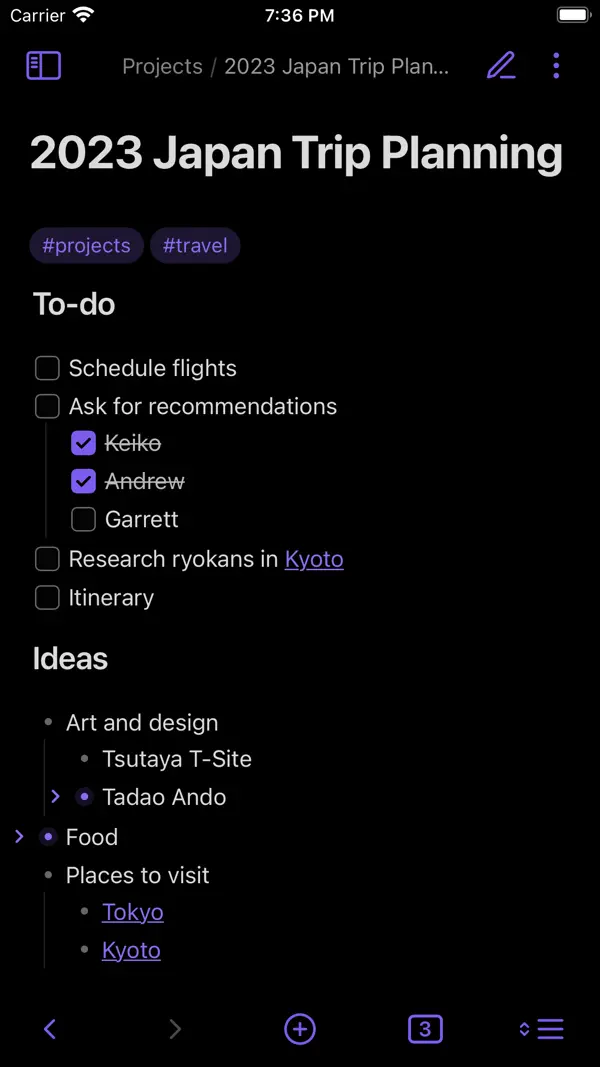
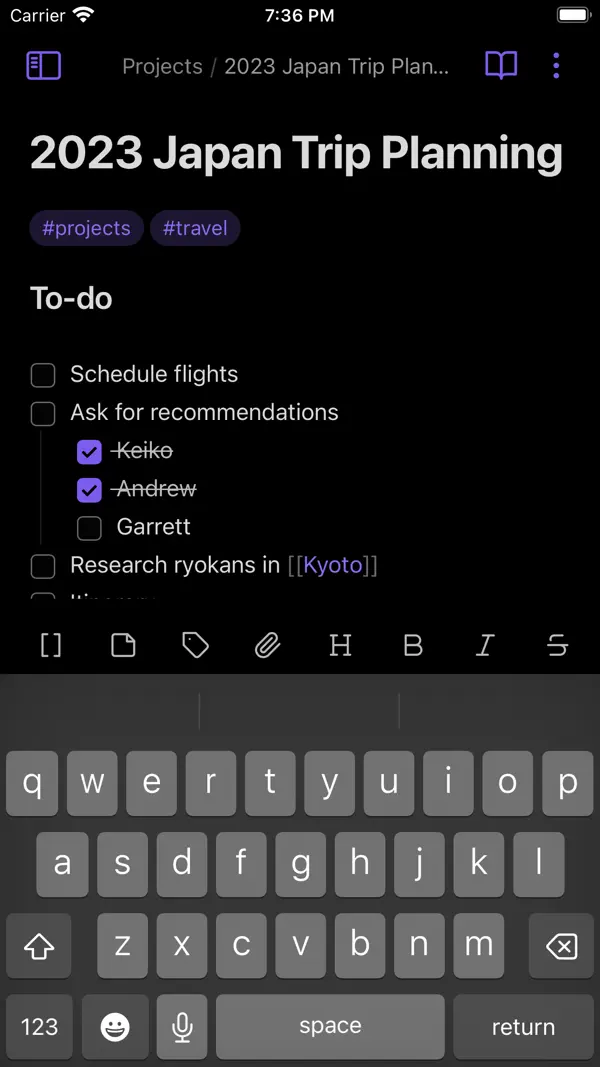
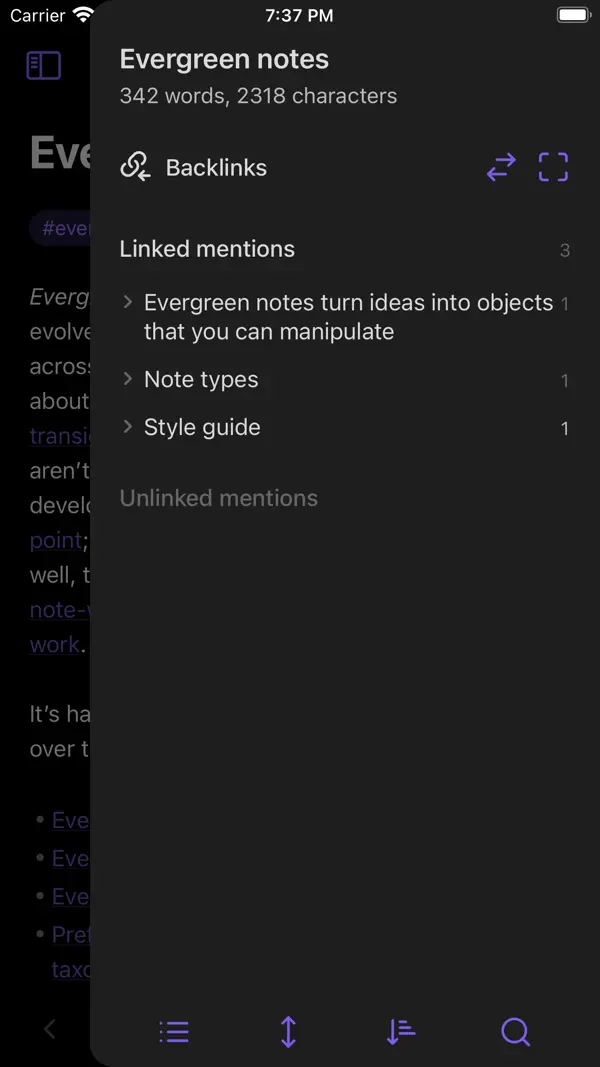
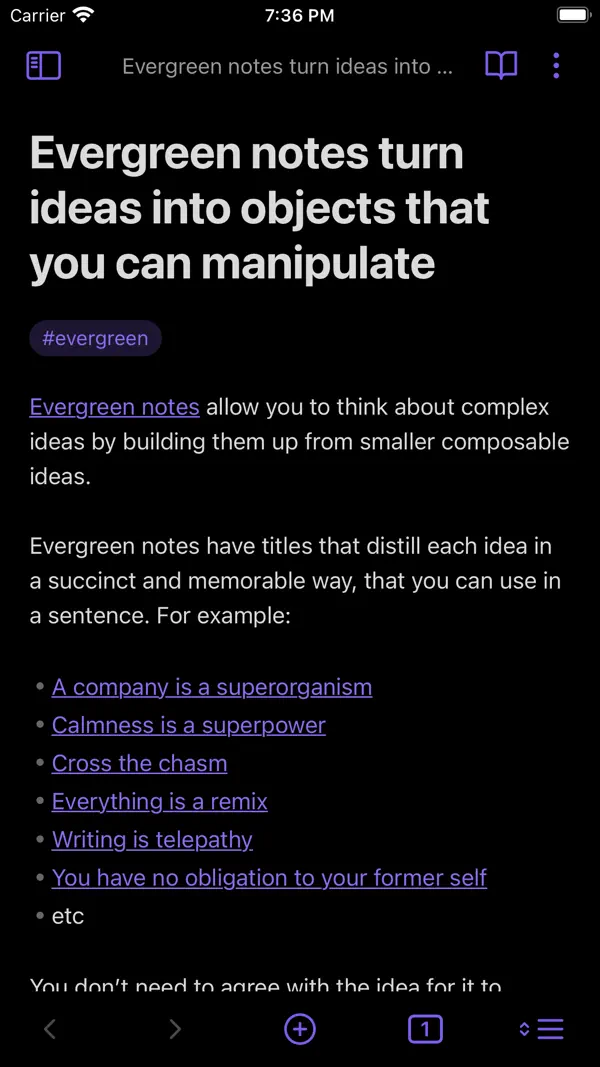
Obsidian ist ein mächtiges Wissensmanagement-Tool, das auf lokalen Markdown-Dateien basiert. Durch bidirektionale Links entsteht ein persönliches Wiki, das Zusammenhänge sichtbar macht. Die riesige Plugin-Community erweitert die Funktionalität grenzenlos.
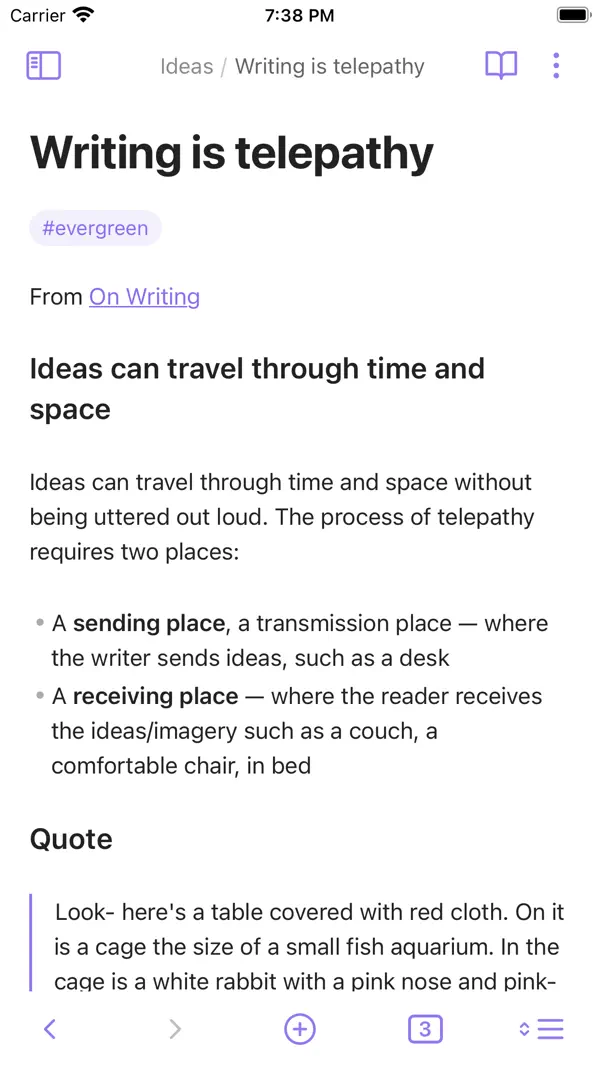
Perfekt für dich, wenn ...
Du willst Notizen lokal und verknüpft speichern ohne Cloud-Zwang
Du arbeitest gerne mit Markdown und einem Plugin-Ökosystem
Eher nicht, wenn ...
Du willst sofort loslegen ohne Einarbeitung
Du benötigst Sync ohne eigene Lösung kostenlos

Die letzten zehn Bewertungen liegen bei Ø 3,8 und damit über dem Schnitt der vorangegangenen (Ø 3,4).

5★
21
4★
7
3★
5
2★
4
1★
12
762 Bewertungen insgesamt ~5 Jahre
4,4
Die neusten 49 Bewertungen ~1 Jahr
3,4
Die neusten 10 Bewertungen ~2 Wochen
3,8

Die hilfreichsten 6 der neusten 49 Bewertungen

vor 1 Monat Best Notes App

Flexible markdown notes app, love it. Decent integration into iOS: deeplinks, share sheet and webclipper work great. My only gripe of the mobile app are the quite lacking widgets. Something like „show me todays daily note of the vault XYZ“ would be useful, a static note not so much. - - - Edit note: My issues have been resolved and the team seems to focus mor on the app. Now it’s on par with the desktop app, which is great. I’ve updated the review to reflect that Old: Regular black screens not resolved by app restart. Cause unknown. No support for the app, lots of issues on the forum, still nothing changed. That’s a real bummer, cause on the desktop the app is great. Mobile works great, if it works, which you never know if it will.

vor 2 Monaten Täglich genutzte App!

Ich bin vor 2 Jahren von OneNote (nach einer kurzen Probezeit bei Notion) zu Obsidian gewechselt. OneNote wurde über Jahre nicht wirklich weiter entwickelt. Der Umstieg hat echt gedauert (Bedienkonzept, Methode, …) aber nun habe ich Obsidian privat/beruflich so integriert, dass ich es keinen Tag mehr missen möchte. Top App zum Lernen, Arbeiten, Verwalten von Ideen, Aktivitäten … alles. Extrem gut erweiterbar durch die vielen PlugIns. ObsidianSync funktioniert wunderbar (und ist mein Beitrag das Tool am Leben zu halten).

vor 3 Monaten Mixed feelings

The app is great and its functionality fully deserves 5 stars. However, the paid sync service regularly mangles up my files, mostly by creating duplicate entries. And I do not even work on more than one device at a time and always wait for sync to finish. Also, sync is slow, and its status cannot be seen on the main app screen. So I always have open the side bar and wait for the sync status to change. Finally, Obsidian constantly unlocks my iPhone in certain situations, making the app a full-grown security issue.

vor 5 Monaten Lebensverändernd

Ich habe angefangen Obsidian für die Arbeit als tägliches Notizbuch zu nutzen. Dabei ist die Funktion mit den Vorlagen sehr praktisch. Es hat quasi meinen Kritzelblock auf dem Schreibtisch ersetzt. Inzwischen ist es für mich aber so viel mehr geworden, denn dank der Synchronisation habe ich meinen Kritzelblock überall dabei und es ist mittlerweile eher ein Tagebuch. Ich wünschte es gäbe die Möglichkeit pro Vault ein eigenes App Icon zu erstellen, sodass ich direkt die Notizen öffne, die ich brauche. Denn ich liebe es, dass sich immer sofort die tägliche Notiz öffnet und würde mir wünschen dafür nicht den Vault wechseln zu müssen, sondern lieber mit einem Wisch die ganze App. :)

vor 6 Monaten Ausgezeichnete Anwendung

Benutze diese Anwendung bereits seit etlichen Jahren, und sie ist zweifelsohne die Beste in ihrer Art. Dank eines mächtigen Plugins-Systems kann sie um zahlreiche neue Funktion erweitert werden, so dass kaum Wünsche offen bleiben. Wer eine Note-Anwendung sucht, sollte deshalb Obsidian - trotz vielleicht anfänglicher Bedienungsdefizite - eine Chance geben.

vor 9 Monaten They changed the UI so heavily I feel nauseous

Obsidian the Programm is great, it’s a good markdown editor that used to have a simple minimalist design across all systems. Their Canvas feature is really nice cause you can make nice and simple mindmaps that can reference other files you have already written and their graph view is also pretty cool so you can see how your files are linked to each other and you can find files if you just know something that you linked to it. The bad things about the app are that on IOS you are only allowed to use iCloud or their paid cloud feature for sharing your files across devices (they are just MD, markdown files that are small, this feels like a scam) AND like within the last few days apparently they updated the app and my phone background updated without my consent and now they changed the UI completely, it’s all rounded corners, no matter if it clips into another object, they all NEEED to be rounded apparently. The UI is kind of broken and makes me genuinely nauseous because it’s all floating UI type of stuff. Like Apple Glass UI is already broken and doesn’t look good, this is just like a extension of that but while also significantly inhibiting the functionality of the app. THE HOLE REASON I USE IT is because it is USED TO have a light fast UI with no unnecessary “this is innovation” type of UI where they just make the product worse. I am sad, disappointed and angry. If IOS was not just a bad operating system that takes away my ability to control MY PHONE how I like then I would go back to a previous version of Obsidian. This updated genuinely made me interested in using android or cracking another operating system onto my phone. Like genuinely why are modern companies so Obsessed with making their products worse, taking away user agency and trying to alienate long time users of their products.

Basierend auf Rezensionen aus dem App Store · Stand: September 2026

Kostenlos
Mit In-App-Käufen oder Abo

Basis kostenlos — Catalyst (ca. 8 €/Monat) für Sync, Plugins und erweiterte Anpassungen.

Dynalist Inc.

Kleines, bootstrapped Team ohne externe Investoren, das mit Obsidian eine der populärsten Notiz-Apps weltweit entwickelt. Gegründet von Erica Xu und Shida Li, seit 2023 unter CEO Stephan Ango.

Typ: Kleine Firma Sitz: Oakville, Kanada Gegründet: 2015 obsidian.md
1 Vorfälle — 1 unklar
Closed-Source-Kern und nicht auditierbare Sync-Verschlüsselung (strukturell) — Obsidian ist trotz lokaler Datenhaltung nicht Open Source. Die Ende-zu-Ende-Verschlüsselung von Obsidian Sync lässt sich nicht unabhängig verifizieren, da der Quellcode nicht einsehbar ist. Nutzer in der Community und bei Privacy Guides haben wiederholt die fehlende Auditierbarkeit kritisiert. Lokale Vaults sind zudem standardmäßig unverschlüsselt als Plaintext-Markdown gespeichert. Quelle
Im App Store seit 10. Juli 2021
Größe 38 MB
Mindest-iOS iOS 15.6
Altersfreigabe 4+
Geräte iPhone & iPad
Sprachen 42 Sprachen
Aktuelle Version v1.13.7 vom 15. August 2026

Includes all new features and bug fixes up to Obsidian Desktop v1.13.7.

Obsidian ist das mächtigste Werkzeug für vernetztes Denken: lokale Markdown-Dateien, bidirektionale Links und ein grenzenloses Plugin-Ökosystem machen es zur bevorzugten Wahl für Power-User und Wissensarbeiter.

Einsteiger sollten den Lernaufwand einkalkulieren – Obsidian ist kein schlankes Notizbuch.

Ratgeber, in denen Obsidian - Connected Notes genauer thematisiert wird

Häufige Fragen

Was ist Obsidian - Connected Notes?
Obsidian - Connected Notes ist eine iOS-App in der Kategorie Produktivität. Vernetztes Wissensmanagement mit Markdown
Ist Obsidian - Connected Notes kostenlos?
Obsidian - Connected Notes kann kostenlos heruntergeladen werden, bietet aber In-App-Käufe und ein Abo-Modell für den vollen Funktionsumfang.
Was sind die Vorteile von Obsidian - Connected Notes?
Die wichtigsten Stärken von Obsidian - Connected Notes: Daten bleiben lokal als Markdown-Dateien. Bidirektionale Verlinkung und Graph-View. Riesiges Plugin-Ökosystem.
Welche Nachteile hat Obsidian - Connected Notes?
Mögliche Schwächen: Steile Lernkurve für Einsteiger. Sync kostenpflichtig (oder eigene Lösung).
Wie gut ist Obsidian - Connected Notes bewertet?
Obsidian - Connected Notes hat im App Store eine Bewertung von 4,4 von 5 Sternen bei 762 Bewertungen. Die letzten zehn Bewertungen liegen bei Ø 3,8 und damit über dem Schnitt der vorangegangenen (Ø 3,4).

Die besten Alternativen für Obsidian - Connected Notes

Sehr gut · 4,8★
Freemium
Google NotebookLM

Google NotebookLM

Produktivität

KI-gestützte Notizbücher mit Audio-Zusammenfassungen

Sehr gut · 4,8★ Freemium

KI-gestützte Notizbücher mit Audio-Zusammenfassungen

Sehr gut · 4,8★ (13.6K) Freemium
Details ansehen → Kostenlos laden
Sehr gut · 4,6★
Freemium
Standard Notes

Standard Notes

Produktivität

Verschlüsselte Notizen mit Langzeit-Fokus

Sehr gut · 4,6★ Freemium

Verschlüsselte Notizen mit Langzeit-Fokus

Sehr gut · 4,6★ (404) Freemium Aufsteiger
Details ansehen → Kostenlos laden
Sehr gut · 4,5★
Freemium
Taio - Markdown & Text Actions

Taio - Markdown & Text Actions

Produktivität

Markdown-Editor mit Clipboard-Manager und Text-Automationen

Sehr gut · 4,5★ Freemium

Markdown-Editor mit Clipboard-Manager und Text-Automationen

Sehr gut · 4,5★ (62) Freemium Geheimtipp
Details ansehen → Kostenlos laden
Sehr gut · 4,5★
ab 3€/Monat
Bear

Bear

Produktivität

Elegante Notizen-App mit Markdown-Unterstützung

Sehr gut · 4,5★ ab 3€/Monat

Elegante Notizen-App mit Markdown-Unterstützung

Sehr gut · 4,5★ (1.2K) ab 3€/Monat Award-Gewinner
Details ansehen → Kostenlos laden
Sehr gut · 4,7★
ab 10€/Monat
Day One Journal: Private Diary

Day One Journal: Private Diary

Gesundheit & Fitness

Privates Tagebuch mit Fotos und Erinnerungen

Sehr gut · 4,7★ ab 10€/Monat

Privates Tagebuch mit Fotos und Erinnerungen

Sehr gut · 4,7★ (8.2K) ab 10€/Monat Award-Gewinner
Details ansehen → Kostenlos laden
Alle Apps
Zuletzt geprüft: Oktober 2026
Kostenlos laden