SSH Client - Secure ShellFish

Blitzschneller SSH-Client mit Remote-Dateimanager und Shortcuts-Integration.

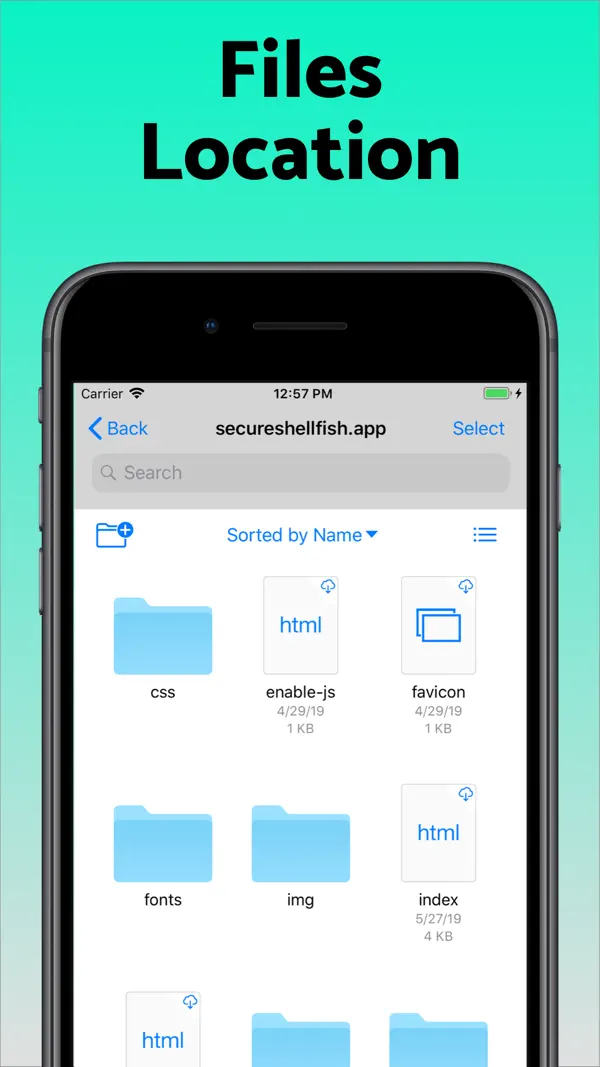
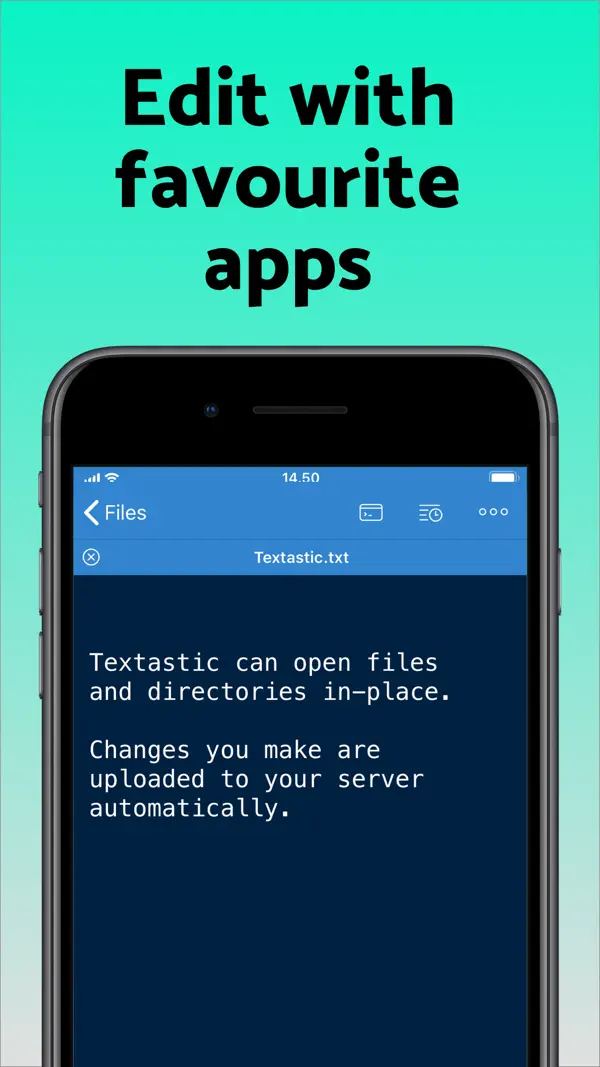
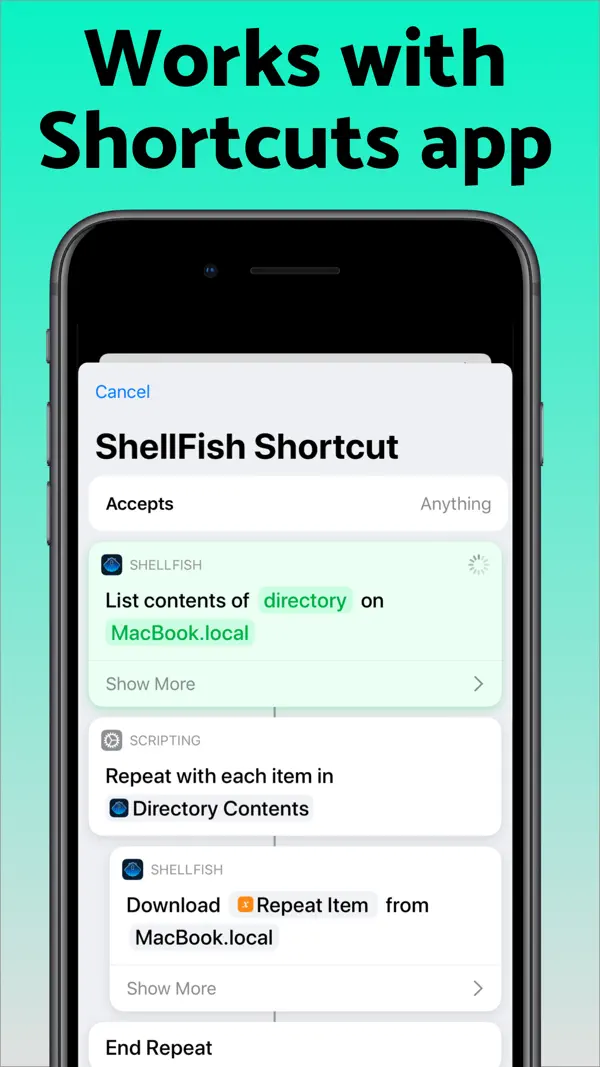
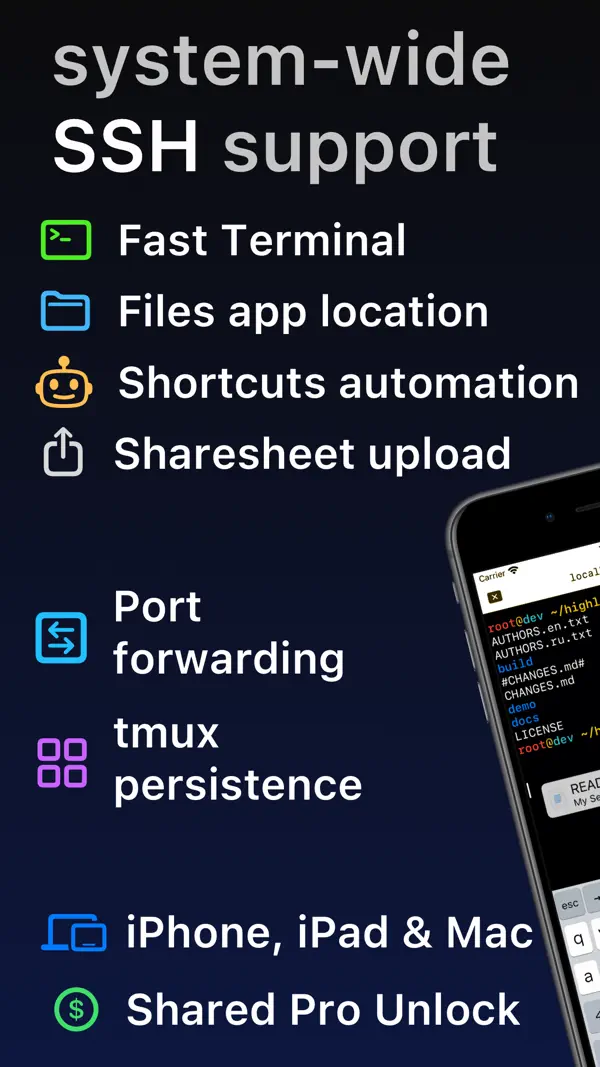
Secure ShellFish ist ein professioneller SSH-Client für iOS, der sich nahtlos in den System-Dateimanager integriert. Verbinde dich mit Servern, bearbeite Dateien direkt, und nutze iOS-Shortcuts für Automatisierungen. Das Terminal unterstützt Gesten, Maus und externe Tastaturen. Von Indie-Entwickler Anders Borum – regelmäßig aktualisiert und mit herausragender Qualität.
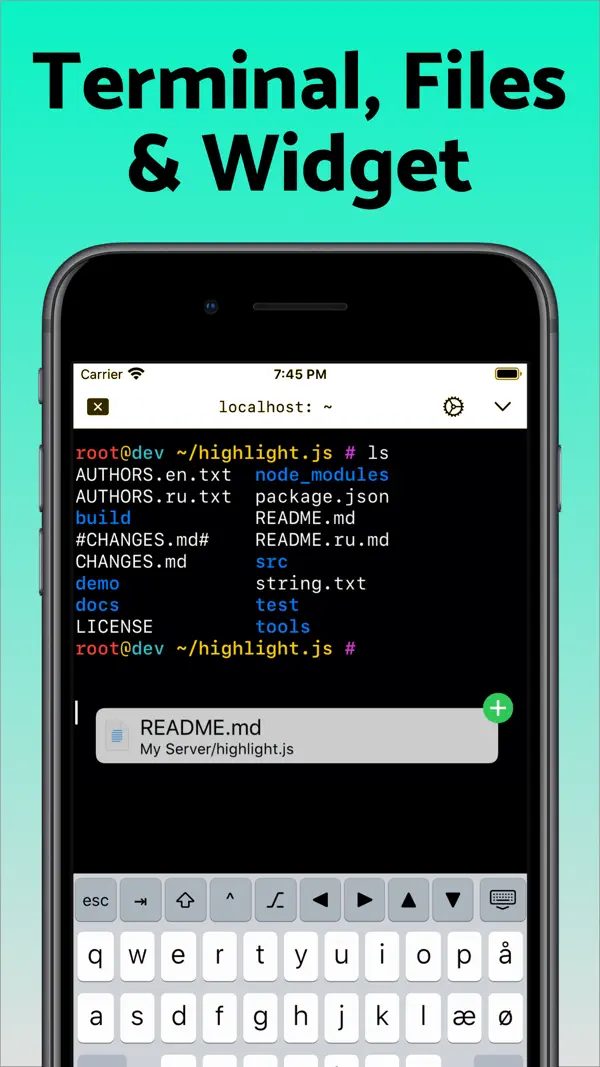
Perfekt für dich, wenn ...
Du verwaltst Server und willst SSH direkt vom iPhone oder iPad aus nutzen
Du willst SFTP-Zugriff nahtlos in die iOS Files-App integriert haben
Eher nicht, wenn ...
Du nutzt iOS 17.3 oder älter – ShellFish erfordert iOS 17.4+
Du willst vollständige Features ohne In-App-Kauf

Die letzten zehn Bewertungen liegen bei Ø 5,0 und damit auf dem Niveau der vorangegangenen (Ø 4,7).

5★
44
4★
1
3★
1
2★
2
1★
1
682 Bewertungen insgesamt ~7 Jahre
4,8
Die neusten 49 Bewertungen ~11 Monate
4,7
Die neusten 10 Bewertungen ~1 Monat
5,0

Die hilfreichsten 6 der neusten 49 Bewertungen

vor 4 Monaten Ich liebe das Programm

Gerade bei langen Passwörtern ist es toll wenn man die irgendwo hinterlegen kann. Das normale Terminal des Macos ist zwar schneller , aber man muss immer Alle Kenntwörter wisen. Die Schnelle freigabe auch auf ios ist schnell und einfach. Danke

vor 4 Monaten Problems: unexpected sync behaviour which damages files; mystery cache of several GB

I tried opening a video file from a remote server, however the file apparently only downloaded halfway, and then ShellFish must have thought it was modified on this side, syncing the partially downloaded file back to the server, thereby damaging the original file on the server (it ended up being only half the original size too). Also, the app takes up several GB of data -- what is this being used for? Cache? Is there a way to see what is in there and perhaps empty it if not needed? All in all, it would be greatly preferable to have more control and insight over what is going on. (e.g. sync files on the command line with rsync instead of the files app -- which, as I explained, seems to be an unreliable and dangerous method; being able to see & decide what gets stored in the application data and why...)

vor 6 Monaten The benchmark for SSH clients

Anders Borum clearly understands how mobile users actually work, and everything here feels thoughtfully integrated rather than like a bolted-on web wrapper. What truly sets it apart is the purely native terminal. The real killer feature for my workflow is how it handles dictation and text expansion. Because these features tie directly into the OS (just like on a Mac), I can dictate commands or fire off snippet expansions without ever breaking my terminal flow. It is a massive boost for productivity. The native Shortcuts integration is also incredibly handy. While I do wish this specific section was just a bit more polished or allowed for more direct scripting, even as-is, it has saved me countless manual steps. Bottom line: If you want a thoughtful, productive, and truly native terminal experience, look no further.

vor 7 Monaten Top App für SSH

Die App ist kurzgesagt einfach Spitze! Funktioniert immer! Man kann Automationen erstellen und seine Fotos auf dem Server sichern. Am eindrucksvollsten ist aber die Integration in die Push Services. Damit ist es möglich Push Notifications aus jedem beliebigen SH-Script zu senden. Zudem kann man sich Widgets erstellen, die Daten vom Server präsentieren. So eine tolle Arbeit der Entwickler unterstütze ich gerne mit einem Abo! Weiter so!

vor 8 Monaten Tolles Produkt

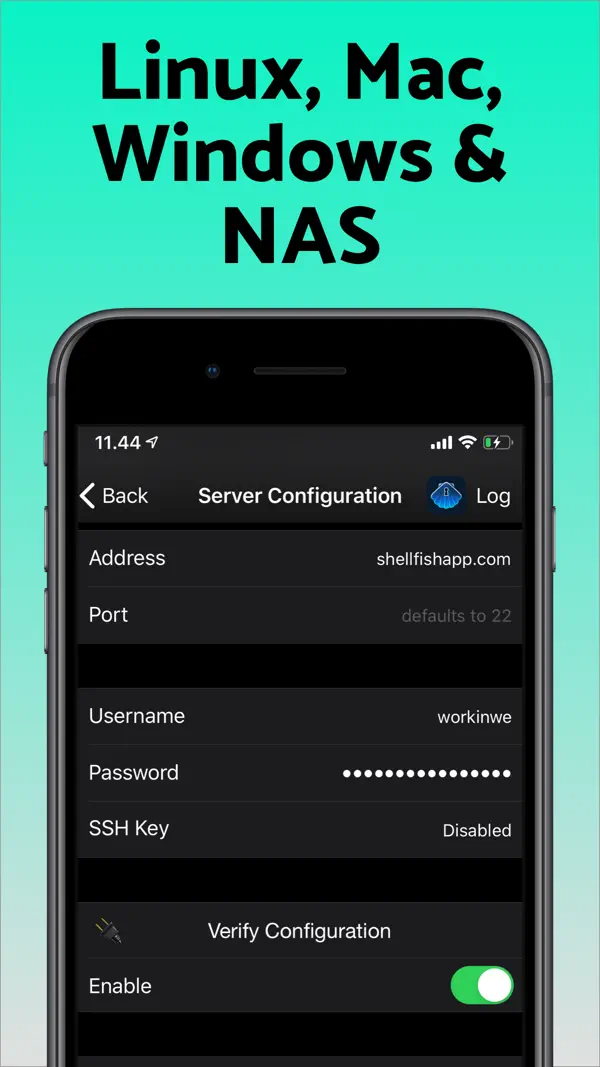
Ich hab'ne Menge Schund auf dem Smartphone und dem Tablet. Secure ShellFish ist eines der wenigen Softwaretitel die wirklich sinnvoll ist. Bisher hatte ich keine Probleme. Mit aktiver *location persistence* wird die Verbindung auch über längeren Zeitraum gehalten. Jedoch kann es im Mobilfunknetz natürlich immer mal vorkommen, das die Verbindung abreißt. Praktisch finde ich das man sich direkt in der App einen Schlüssel, für die Authentifizierung erstellen kann. Und die Möglichkeit diesen auch simpel, bei bestehender Verbindung auf den Server installieren kann. Für die weiter Absicherung muss man natürlich selbst Sorge tragen.

vor 10 Monaten Sehr gut

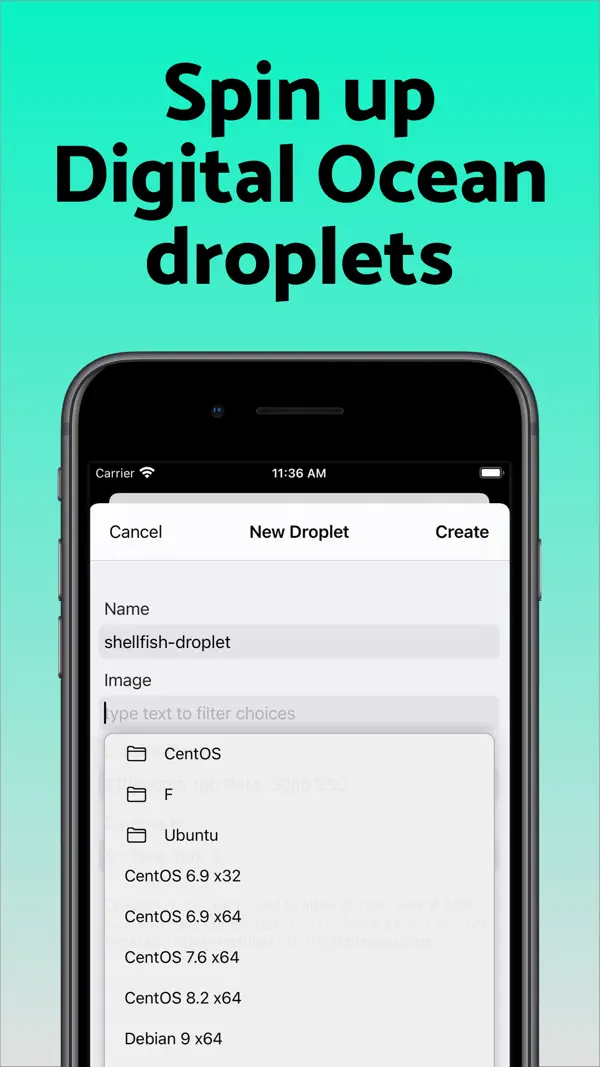
Tut was es soll und mehr. Upload und Download ist eine super Funktion und gut durchdacht. Was ich etwas schade finde ist, das im Cloud Menü nur Ocean-Cloud möglich ist. Was ist mit Hetzner, Strato, Netcup, Azure, AWS, IONOS und so weiter?

Basierend auf Rezensionen aus dem App Store · Stand: September 2026

Kostenlos
Mit In-App-Käufen oder Abo

Secure ShellFish ist kostenlos mit eingeschränkten Features. Eine einmalige Pro-Zahlung oder Abo schaltet unlimitierte Verbindungen und alle Features frei – faire Preisgestaltung für ein Profi-Werkzeug.

3 In-App-Käufe · 2,99€ – 29,99€
ShellFish Monthly subscription 2,99€
ShellFish Lifetime Pro Unlock 29,99€
ShellFish Annual subscription 14,99€
Anders Borum

Dänischer Indie-Entwickler, bekannt für Working Copy – den führenden Git-Client für iOS/iPadOS. Ehemaliger Consultant, der seit 2014 Vollzeit eigene Apps entwickelt.

Typ: Einzelentwickler Sitz: Kopenhagen, Dänemark Gegründet: 2014 secureshellfish.app
Nach unseren Recherchen sind keine Vertrauens- oder Sicherheitsvorfälle bekannt.
Im App Store seit 28. Juni 2019
Größe 118 MB
Mindest-iOS iOS 17.4
Altersfreigabe 4+
Geräte iPhone & iPad
Sprachen 2 Sprachen
Aktuelle Version v2026.30 vom 11. September 2026

Suggest Command turns a plain-language description such as "make a compressed archive of src without the log files" into a shell command, using Apple's Private Cloud Compute model. Long-press the paste button on the keyboard bar or press Cmd-I. The model reads the manual pages on the server you are connected to, so it suggests options that exist there, and the command is only inserted at the prompt when you choose Insert. Requires the latest version of iOS with Apple Intelligence enabled.

Shortcuts actions no longer have to finish within a few seconds. On the latest version of iOS an upload, a download or the listing of a large folder keeps running in the background for as long as it needs, showing how far it has come and offering a stop button if you want to end it early.

A new Control Cloud Server action creates, starts, stops, checks and destroys cloud servers. You pick the region, the plan and the system image the same way you do in the app, and a server that takes minutes to come up reports what it is doing while you wait. The server it gives you back drops straight into the next action, even before you have saved it as a server of your own.

A new Run Command action then runs a command on that server, or on any saved server, without opening the app. Output appears line by line while the command works and the full output is handed back to the rest of your shortcut, so a single shortcut can bring up a server, run a build or a backup on it that takes minutes, and shut it down again.

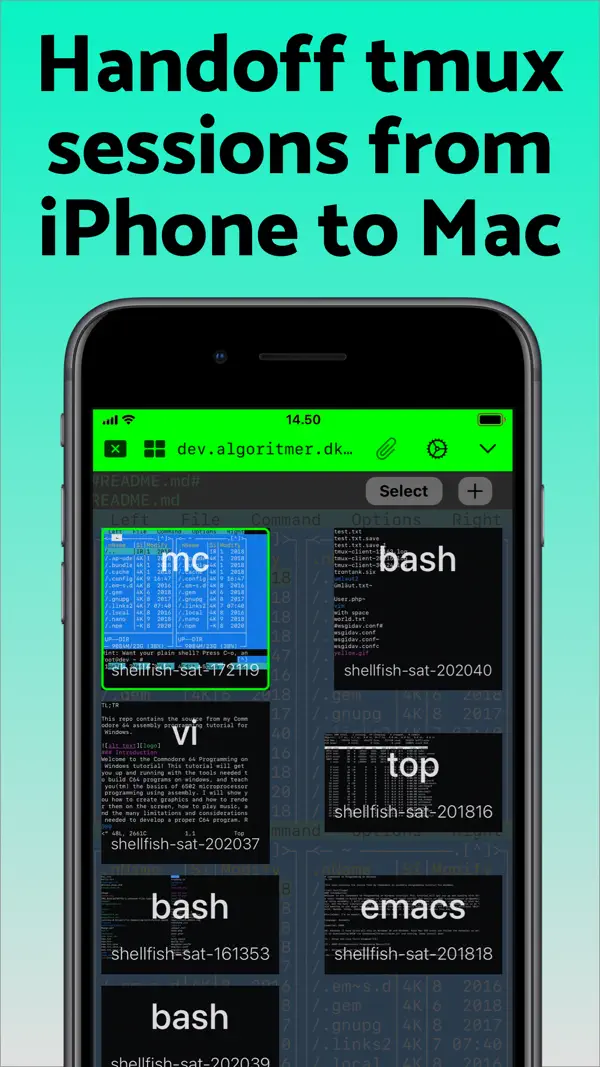
Inside tmux, lines that had been cleared could stay on screen, so a prompt appeared twice or clear left the old screen in place. The flicker reduction behind this has been undone until it is sorted out.

Kaum bekannt, aber für iOS-Entwickler und Serveradmins der beste SSH-Client im App Store: nahtlose Files.app-Integration, Shortcuts-Automatisierung und ein schnelles Terminal von einem aktiven Indie-Entwickler.

Wer auf iOS professionell mit Servern arbeitet, kommt an ShellFish kaum vorbei.

Häufige Fragen

Was ist SSH Client - Secure ShellFish?
SSH Client - Secure ShellFish ist eine iOS-App in der Kategorie Entwickler-Tools. Blitzschneller SSH-Client mit Remote-Dateimanager und Shortcuts-Integration.
Ist SSH Client - Secure ShellFish kostenlos?
SSH Client - Secure ShellFish kann kostenlos heruntergeladen werden, bietet aber In-App-Käufe und ein Abo-Modell für den vollen Funktionsumfang.
Was sind die Vorteile von SSH Client - Secure ShellFish?
Die wichtigsten Stärken von SSH Client - Secure ShellFish: Nahtlose Integration in Files.app als SFTP-Provider. Sehr schnelles, responsives Terminal. iOS Shortcuts-Integration für Automatisierungen. Aktiv weiterentwickelt von einem Indie-Entwickler.
Welche Nachteile hat SSH Client - Secure ShellFish?
Mögliche Schwächen: Vollständige Nutzung erfordert In-App-Kauf. Erfordert iOS 17.4+.
Ist SSH Client - Secure ShellFish vertrauenswürdig?
Ja, SSH Client - Secure ShellFish gilt als vertrauenswürdig. Indie-Entwickler ohne Konzernstruktur, keine bekannten Vorfälle, faire Preisgestaltung ohne Datenmonetarisierung.

Ähnliche Entwickler-Tools-Apps

Sehr gut · 4,7★
Gratis
Scriptable

Scriptable

Entwickler-Tools

JavaScript-Automatisierung für iOS: Widgets, Shortcuts und Scripts

Sehr gut · 4,7★ Gratis

JavaScript-Automatisierung für iOS: Widgets, Shortcuts und Scripts

Sehr gut · 4,7★ (3.2K) Gratis
Details ansehen → Kostenlos laden
Sehr gut · 4,8★
Freemium
Working Copy - Git client

Working Copy - Git client

Entwickler-Tools

Vollwertiger Git-Client für iPhone und iPad

Sehr gut · 4,8★ Freemium

Vollwertiger Git-Client für iPhone und iPad

Sehr gut · 4,8★ (1.1K) Freemium Klassiker
Details ansehen → Kostenlos laden
Sehr gut · 4,6★
Freemium
Runestone Text Editor

Runestone Text Editor

Entwickler-Tools

Leichtgewichtiger Code-Editor für iPhone und iPad

Sehr gut · 4,6★ Freemium

Leichtgewichtiger Code-Editor für iPhone und iPad

Sehr gut · 4,6★ (439) Freemium
Details ansehen → Kostenlos laden
Sehr gut · 4,9★
Gratis
a-Shell

a-Shell

Entwickler-Tools

Vollwertiges Unix-Terminal fürs iPhone – mit vim, git, curl, grep und mehr.

Sehr gut · 4,9★ Gratis

Vollwertiges Unix-Terminal fürs iPhone – mit vim, git, curl, grep und mehr.

Sehr gut · 4,9★ (192) Gratis Geheimtipp
Details ansehen → Kostenlos laden
Okay · 4,7★
Gratis
Textastic Code Editor

Textastic Code Editor

Entwickler-Tools

Leistungsstarker Code-Editor für iOS

Okay · 4,7★ Gratis

Leistungsstarker Code-Editor für iOS

Okay · 4,7★ (1.1K) Gratis
Details ansehen → Kostenlos laden
Alle Apps
Zuletzt geprüft: Oktober 2026
Kostenlos laden