
Sofa: Downtime Organizer
Persönliche Watchlist-App für Filme, Bücher, Spiele und Podcasts
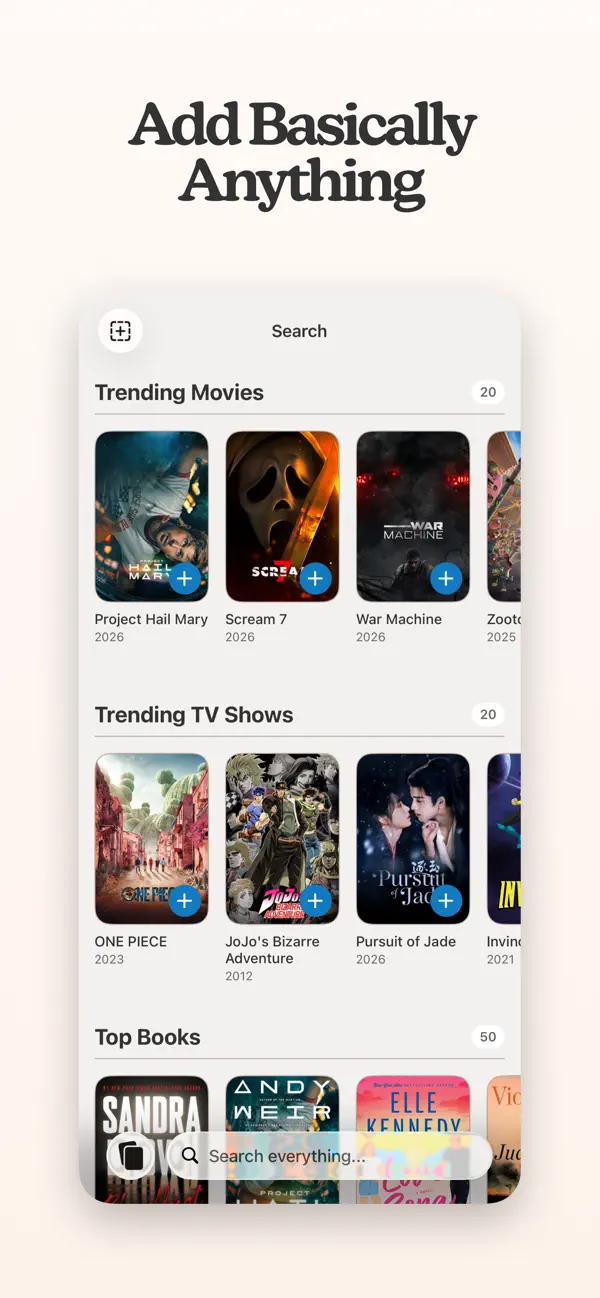
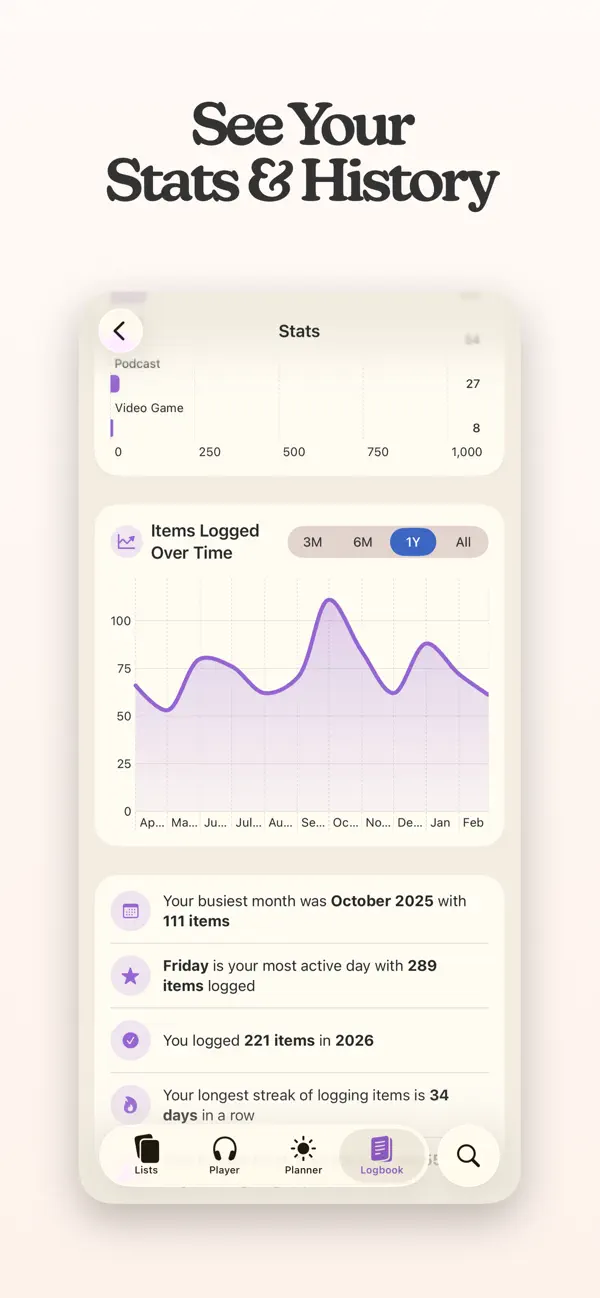
Sofa macht Freizeit bewusster: Du sammelst Filme, Serien, Bücher, Spiele, Podcasts und mehr in persönlichen Listen – und weißt immer, was als nächstes auf dem Plan steht. Apple hat Sofa mehrfach als App des Tages ausgezeichnet, MacStories bezeichnet sie als ihre Lieblings-Watchlist-App. Seit Version 4 ist ein vollständiger Podcast-Player mit CarPlay-Unterstützung integriert. Der kostenlose Kern bleibt dauerhaft kostenlos – Super Sofa schaltet Themes, Smart Lists und erweiterte Statistiken frei.






Das sagen Nutzer
→ UnverändertDie hilfreichsten 6 der neusten 13 Bewertungen
Basierend auf Rezensionen aus dem App Store · Stand: September 2026
Preis & Sparen
FreemiumKostenlos mit dauerhaft funktionalem Kern – Super Sofa (Abo) schaltet Themes, Smart Lists, Sticky Notes und erweiterte Statistiken frei.
10 In-App-Käufe · 0,99€ – 59,99€
Über den Entwickler
Ein-Mann-Studio von Designer und Entwickler Shawn Hickman, bekannt für die preisgekrönte App Sofa: Downtime Organizer. Die App wurde von Apple als App of the Day ausgezeichnet.
Vertrauenswürdigkeit
App-Info
7 Inhaltswarnungen von Apple
- Selten/schwach ausgeprägt: sexuelle Inhalte oder Nacktheit
- Selten/schwach ausgeprägt: Szenen mit erotischen Anspielungen
- Selten/schwach ausgeprägt: Zeichentrick- oder Fantasy-Gewalt
- Selten/schwach ausgeprägt: Gebrauch von Alkohol, Tabak oder Drogen bzw. Verweise hierzu
- Selten/schwach ausgeprägt: realistisch dargestellte Gewalt
- Selten/schwach ausgeprägt: obszöner oder vulgärer Humor
- Selten/schwach ausgeprägt: Horror-/Gruselszenen
Hey gang, I've got a ton of improvements and fixes in this release. Hope everyone is enjoying their summer!
IMPORTING IMPROVEMENTS
============================
- Sofa now remembers your last 10 imports in Settings → Data Management — undo any of them individually, with a heads-up if a newer import touched the same items.
- Trakt imports now respect dropped shows (→ Did Not Finish) and mark fully-caught-up shows as Watched instead of flooding Enjoying. New episodes that aired after you finished show up as new content.
- If an import matched the wrong movie, show, book, or game, tap it to search and pick the right one.
CHANGES & IMPROVEMENTS
============================
- Improvements to checking and updating tracked TV shows.
- Finishing a show you've bailed on (or the new "Stop Showing" option) now keeps it out of Enjoying, Returns Soon, and the Planner. Reversible anytime via Resume Watching.
- Custom items can now be added directly to your Logbook, with a date and time of your choosing.
- Event countdowns now show the true number of days for far-future events.
- Podcast chapters are now generated from more show-notes formats.
- Timestamps in podcast show notes are now tappable — tap one to jump the player to that spot.
SHORTCUTS
============================
- Start Tracking now takes a Total, a starting Current Value, and a Checkpoint Type.
- Update Counter has a new Set Total mode, so you can fix or change the goal on something you're already tracking and change the unit at the same time ("set total of Dune to 48 chapters").
BUG FIXES
============================
- Podcast playback position getting lost or rewound when syncing between devices.
- Manually sorted list items could jump to different positions.
- Completed show could show up in Enjoying if its episode data couldn't be fetched during import.
- Shows not reappearing in Enjoying when new episodes air.
- Finished shows no longer get stuck as "Caught Up" when a series ends after you added it — they now complete and land in your Logbook automatically, including when you mark the last episode via widgets, Shortcuts, or the Logbook.
- Tapping Sticky Note on an item you'd logged before could open and edit an older copy's note instead of creating one for the current item.
- Adding a podcast to the Logbook a second time moved the existing entry's date instead of adding a new one.
- A podcast followed and logged on the same day could be misread as "not new" and pull a full batch of episodes on its first refresh instead of one.
- Video game search returning odd results when the query had a trailing space.
- A bug that kept the Save button grayed out when adding a plan to an event, even after filling in the details.
- A mystery item could appear in the Pinned Items widget even though it was nowhere to be found in the app. The widget and the app now always agree on what's pinned.
- Issues where Planner items weren't properly being added to the Logbook.
- Podcasts followed by RSS link (like Patreon feeds) could disappear from Up Next when any show was set to Listen as a Series.
- Episode thumbnails briefly showing the wrong episode's artwork while scrolling quickly on slow networks.
- Grouping a list by an ingredient now reliably places tagged items in the right group.
- Shared links now save even when the page preview can't be loaded, instead of showing an error.
- Issue where the widget could get stuck showing sample content instead of your queue until you reconfigured it.
- The single-item Enjoying widget now updates as you track progress, instead of only refreshing after restarting your phone.
- Events could stop appearing in the widget entirely (while releases and episodes still showed).
- Background image for the Event countdown widget is now sharp instead of blurry when set to "Next Event."
As always, don't hesitate to reach out with feedback, issues, and suggestions. I'm always happy to hear from you: support@sofahq.com
– Shawn
Unser Fazit
Sehr gutKaum bekannt, aber von Apple mehrfach ausgezeichnet: Sofa macht Freizeit bewusster, indem man Filme, Bücher, Spiele und Podcasts in persönlichen Listen sammelt statt impulsiv zu konsumieren.
Der kostenlose Kern ist dauerhaft nutzbar, Apple Design Award zeigt den Qualitätsanspruch. Für alle, die ihre Freizeit strukturieren wollen, eine echte Entdeckung.
Häufige Fragen
Was ist Sofa: Downtime Organizer?
Ist Sofa: Downtime Organizer kostenlos?
Was sind die Vorteile von Sofa: Downtime Organizer?
Welche Nachteile hat Sofa: Downtime Organizer?
Wie gut ist Sofa: Downtime Organizer bewertet?
Ähnliche Produktivität-Apps
Grok - KI Assistent
Produktivität
Bester kostenloser KI-Assistent mit Echtzeit-Infos und Bildgenerierung
Bester kostenloser KI-Assistent mit Echtzeit-Infos und Bildgenerierung

OCR Scanner - QuickScan
Produktivität
Schneller OCR-Dokumentenscanner mit Texterkennung
Schneller OCR-Dokumentenscanner mit Texterkennung
one sec | App Zeitlimit Sperre
Produktivität
Verhindert reflexartiges App-Öffnen durch eine kurze Atempause vor Social Media.
Verhindert reflexartiges App-Öffnen durch eine kurze Atempause vor Social Media.

2FA Authenticator (2FAS)
Produktivität
Open-Source-Authenticator für Zwei-Faktor-Codes – privat und sicher
Open-Source-Authenticator für Zwei-Faktor-Codes – privat und sicher

Bitwarden
Produktivität
Open-Source-Passwort-Manager — gratis, sicher, auf allen Geräten
Open-Source-Passwort-Manager — gratis, sicher, auf allen Geräten
Bester kostenloser KI-Assistent mit Echtzeit-Infos und Bildgenerierung
Schneller OCR-Dokumentenscanner mit Texterkennung
Verhindert reflexartiges App-Öffnen durch eine kurze Atempause vor Social Media.
Open-Source-Authenticator für Zwei-Faktor-Codes – privat und sicher
Open-Source-Passwort-Manager — gratis, sicher, auf allen Geräten